
AI Gateway
The AI Gateway brings AI into RepairOps without locking your shop into a single model provider or billing strategy. Use it for intake parsing, note cleanup, KB search and chat, diagnostics assistance, QC support, voice transcription, manager reporting, and System Builder generation.
The AI Gateway control surface is available on every tier; whether AI actually executes depends on your AI add-on (or your own provider keys). Some tasks are additionally gated by base tier — for example KB Chat and diagnostics need Pro , while manager insights and the voice intent tasks need Business . Self-hosted providers, fallback chains, and audit exports are Enterprise .
Supported Providers
Section titled “Supported Providers”RepairOps supports multiple providers so you can optimize for cost, speed, or compliance.
Cloud Providers
Section titled “Cloud Providers”| Provider | Best For | Notes |
|---|---|---|
| OpenAI | General-purpose chat and strong structured output | Popular default for broad usage |
| Anthropic | Reasoning-heavy tasks and long-context prompting | Strong for explanations and summaries |
| Multimodal workflows and cost control | Good fit for mixed text + image tasks | |
| Groq | Low-latency responses | Useful for speed-sensitive actions |
| Mistral | EU-friendly deployments and price-sensitive traffic | Good alternative routing option |
An OpenRouter adapter is also available in the gateway as an additional routing option.
Self-Hosted Enterprise
Section titled “Self-Hosted ”| Provider | Best For | Notes |
|---|---|---|
| Ollama | On-prem or private-cloud inference | Enterprise-only, used for self-hosted models and private data flows |


AI Add-On Matrix
Section titled “AI Add-On Matrix”AI is sold separately from the base Starter / Pro / Business / Enterprise subscription.
| Add-On | Price | Mode | Managed Credits / Month | Hard Cap | Best For |
|---|---|---|---|---|---|
| Disabled | $0 | Off | 0 | 0 | No AI usage |
| AI Ready | $49 | BYOK | 0 | 0 | Teams using their own provider keys |
| AI Assist | $79 | Managed | 200 | 400 | Intake parse, note cleanup, customer summary, KB search |
| AI Copilot | $149 | Managed | 500 | 1,000 | Full managed task coverage (requires Pro+) |
| Enterprise AI | Custom | BYOK + Managed | 2,000 | 5,000 | Self-hosted routing, failover, audit, and compliance (Enterprise) |
The hard cap is the maximum managed credits consumable in a billing period, even with top-up packs. AI Copilot requires a Pro or higher base plan; Enterprise AI requires Enterprise and is sales-assisted.
Task Coverage by Add-On
Section titled “Task Coverage by Add-On”| Task | AI Ready (BYOK) | AI Assist | AI Copilot | Enterprise AI |
|---|---|---|---|---|
| Intake parse | ✓ | ✓ | ✓ | ✓ |
| Note cleanup | ✓ | ✓ | ✓ | ✓ |
| Customer summary | ✓ | ✓ | ✓ | ✓ |
| KB search | ✓ | ✓ | ✓ | ✓ |
| KB Chat completion | ✓ | — | ✓ | ✓ |
| Diagnostics assist | ✓ | — | ✓ | ✓ |
| QC pre-check | ✓ | — | ✓ | ✓ |
| Voice-to-text | ✓ | — | ✓ | ✓ |
| Manager insights | ✓ | — | ✓ | ✓ |
| System Builder generation | ✓ | — | ✓ | ✓ |
“AI Ready” runs every supported task using your own provider keys; managed add-ons run a curated subset against RepairOps-managed credits. Task availability also depends on your base tier (see the per-task minimum tiers below).
Credit Pools
Section titled “Credit Pools”RepairOps uses two credit pools.
Monthly Pool
Section titled “Monthly Pool”Replenishes with your billing cycle:
- AI Assist — 200 managed credits (hard cap 400)
- AI Copilot — 500 managed credits (hard cap 1,000)
- Enterprise AI — 2,000 managed credits (hard cap 5,000)
Monthly included credits do not roll over.
Purchased Credits
Section titled “Purchased Credits”Top up your managed pool anytime:
| Pack | Price |
|---|---|
| 100 credits | $15 |
| 500 credits | $60 |
| 1,000 credits | $100 |
Purchased credits expire after 12 months of inactivity.
Task Credit Costs
Section titled “Task Credit Costs”| Task | Credits | Minimum Base Tier |
|---|---|---|
| KB search | 2 | Starter |
| Note cleanup | 3 | Starter |
| Intake parse | 5 | Starter |
| Customer summary | 8 | Starter |
| System Builder swap validation | 5 | Starter |
| System Builder generation | 25 | Starter |
| KB Chat completion | 2 | Pro |
| Doc quality score | 3 | Pro |
| Wait-time estimate | 5 | Pro |
| Diagnostics assist | 10 | Pro |
| QC pre-check | 12 | Pro |
| Voice-to-text | 15 | Pro |
| Voice context enrich | 8 | Business |
| Voice intent parse | 10 | Business |
| Manager insights | 12 | Business |
AI Workflows in RepairOps
Section titled “AI Workflows in RepairOps”Starter Tasks Starter
Section titled “Starter Tasks ”- Intake Parse — pull structure from customer descriptions
- Note Cleanup — turn rough technician notes into polished text
- Customer Summary — generate customer-facing summaries
- KB Search — find answers in your Knowledge Base
- System Builder generation — AI-assisted custom PC builds
Pro Tasks Pro
Section titled “Pro Tasks ”- KB Chat — conversational answers grounded in your knowledge base
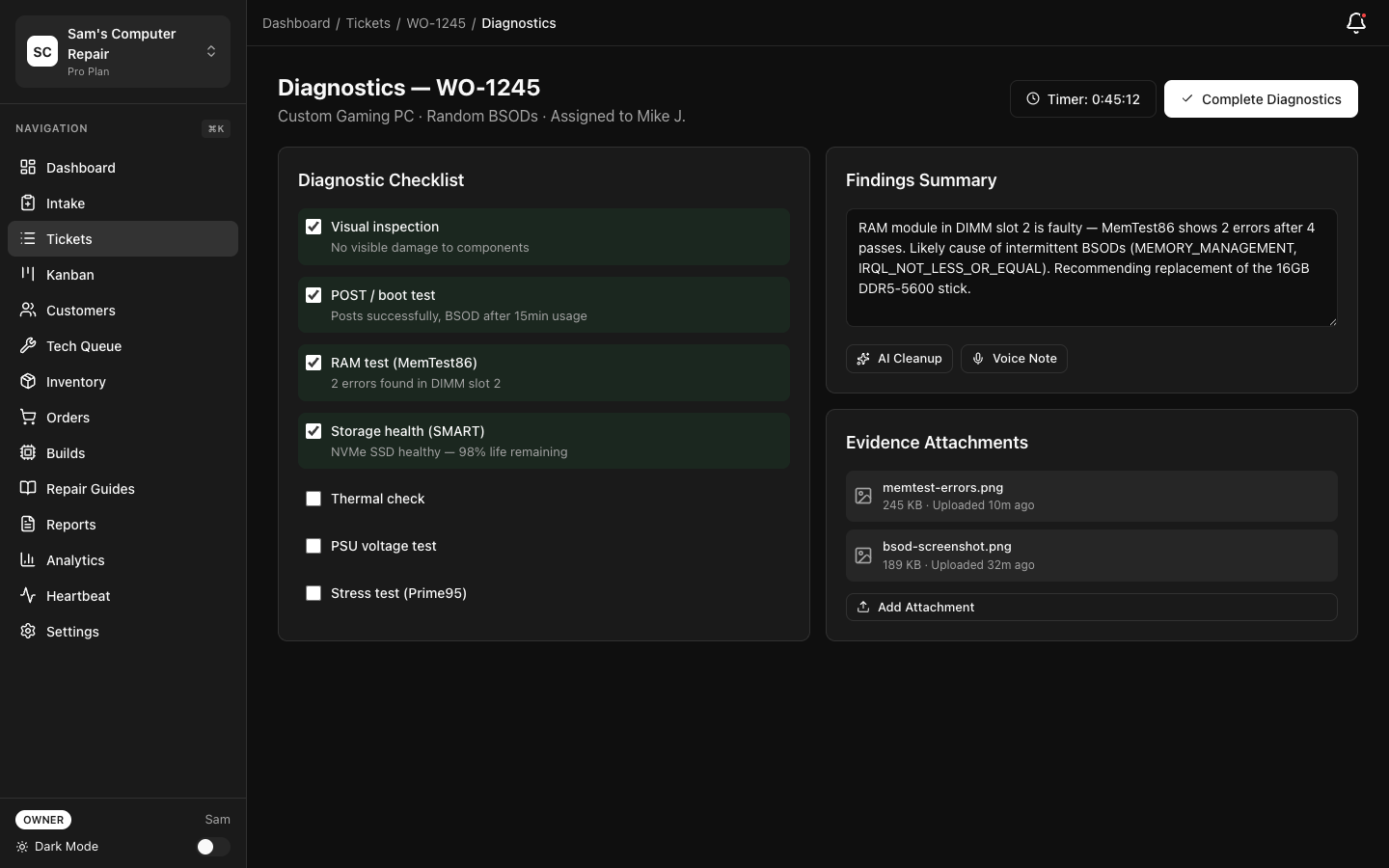
- Diagnostics Assist — suggest next diagnostic steps
- QC Pre-Check — AI-assisted checks for completed work
- Voice-to-Text — convert voice notes into cleaned repair documentation
- Doc Quality Score / Wait-Time Estimate — supporting analytics tasks
Business Tasks Business
Section titled “Business Tasks ”- Manager Insights — summarize weekly performance patterns
- Voice Intent Parse / Voice Context Enrich — power the Voice Copilot
Authentication and Billing Modes
Section titled “Authentication and Billing Modes”BYOK (Bring Your Own API Key)
Section titled “BYOK (Bring Your Own API Key)”Use your own vendor keys for supported providers. Provider keys are stored as per-organization encrypted secrets, not environment variables.
- Go to Settings → AI Gateway → Authentication
- Select BYOK
- Add provider credentials
- Choose which providers can be used per task
Managed Billing
Section titled “Managed Billing”RepairOps manages provider usage for you and deducts from your monthly or purchased credit pools.
- Go to Settings → AI Gateway → Billing
- Select the AI add-on you want
- Set a monthly budget
- Enable alerts
Budget Controls and Usage Visibility
Section titled “Budget Controls and Usage Visibility”Budget Caps
Section titled “Budget Caps”- Open Settings → AI Gateway → Budget
- Set a monthly spend ceiling
- Enable alerts at 75%, 90%, and 100%
When you hit the budget limit, managed AI tasks are blocked, RepairOps surfaces an “AI budget exceeded” state, and owners/managers receive an alert. There is also a platform abuse cap of 100 AI requests per hour per organization.
Usage Dashboard
Section titled “Usage Dashboard”Use Settings → AI Gateway → Usage to review remaining monthly credits, purchased-credit balance, usage by task type, and recent AI actions and outcomes.
Fallback Chains Enterprise
Section titled “Fallback Chains ”Enterprise customers can configure fallback chains for reliability:
- Open Settings → AI Gateway → Providers
- Select a primary provider
- Configure one or more fallbacks
- Save the routing order
RepairOps retries eligible requests on the next provider if the primary fails or times out.
AI Audit Trail Enterprise
Section titled “AI Audit Trail ”All AI tasks can be logged with task type and timestamp, provider used, credit usage, the user who triggered the action, and success/failure state — a defensible record of AI activity for security and compliance teams, with CSV/JSON export.
Availability Summary
Section titled “Availability Summary”| Feature | Starter | Pro | Business | Enterprise |
|---|---|---|---|---|
| AI Gateway settings screen | ✓ | ✓ | ✓ | ✓ |
| Starter AI tasks | ✓* | ✓* | ✓* | ✓ |
| Pro AI tasks (KB Chat, diagnostics, QC, voice-to-text) | — | ✓* | ✓* | ✓ |
| Business AI tasks (manager insights, voice copilot) | — | — | ✓* | ✓ |
| BYOK provider mode | ✓* | ✓* | ✓* | ✓ |
| Managed billing mode | ✓* | ✓* | ✓* | ✓ |
| Ollama self-hosted | — | — | — | ✓ |
| Fallback chains | — | — | — | ✓ |
| AI audit trail + export | — | — | — | ✓ |
*Requires an AI add-on or Enterprise AI.
Related Pages
Section titled “Related Pages”- Knowledge Base — KB search and KB Chat usage
- Analytics — Manager insights and AI-driven reporting
- System Builder — AI-assisted custom PC builds
- Plans & Billing — Add-on pricing and credit packs