
Plugin SDK
Build custom plugins to extend RepairOps with new capabilities. Learn the manifest specification, event system, UI integration, and submission process.
What Are Plugins?
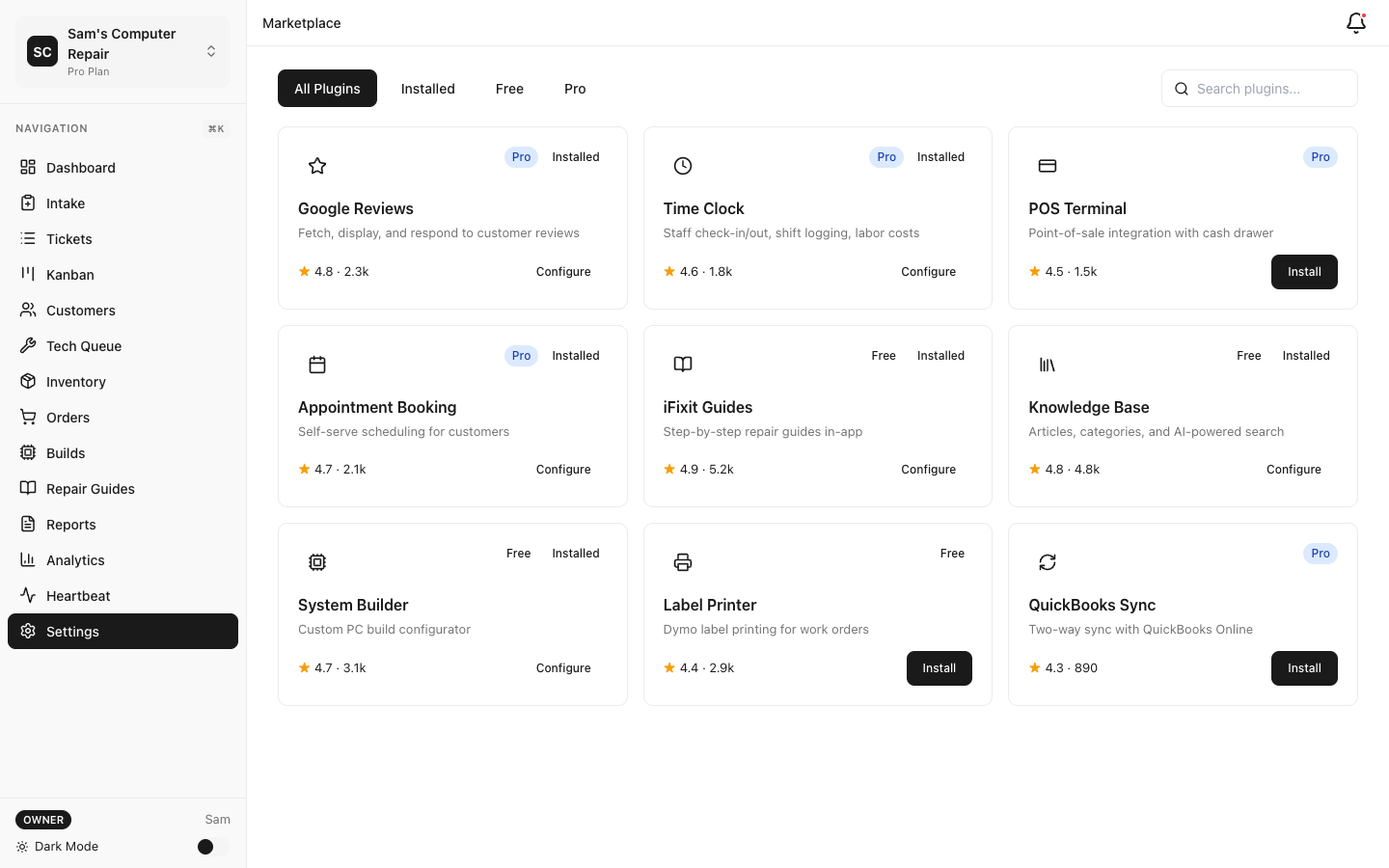
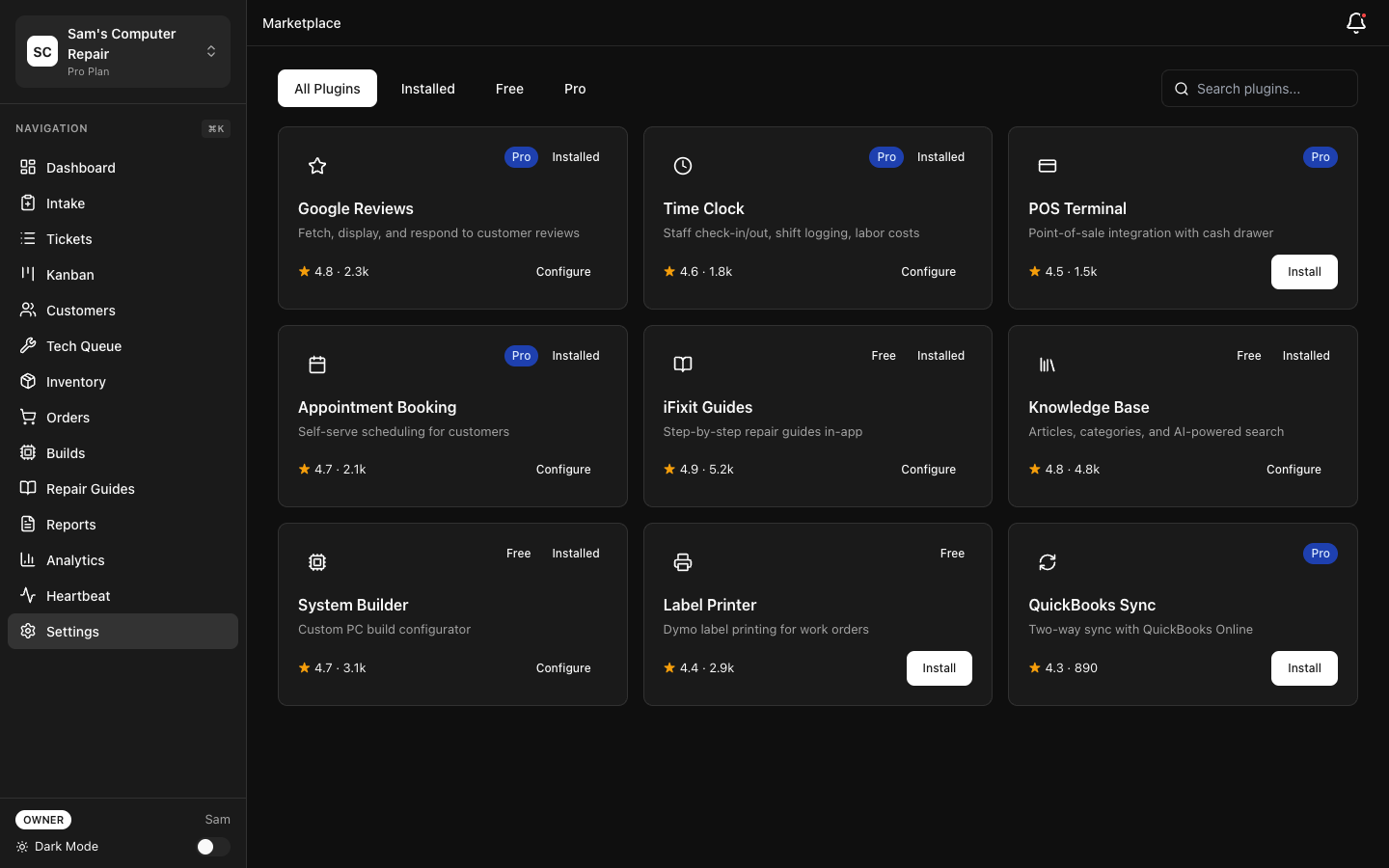
Section titled “What Are Plugins?”Plugins are modular TypeScript/JavaScript packages that add features to RepairOps:
- Connect external services (SMS, email, payments, CRM)
- Add workflows (booking, POS, time tracking)
- Extend data models (custom fields, new tables)
- Integrate hardware (label printers, displays)
- Provide AI capabilities (custom task types)
Plugins are installed per-organization and shared across all team members.
Getting Started
Section titled “Getting Started”Installation
Section titled “Installation”Install the plugin CLI:
npm install -g @repairops/plugin-cliCreate a New Plugin
Section titled “Create a New Plugin”plugin-cli init my-plugincd my-pluginnpm installDirectory structure:
my-plugin/├── manifest.json # Plugin metadata & configuration├── src/│ ├── index.ts # Main plugin handler│ ├── handlers/ # Event handlers│ └── components/ # React UI components (optional)├── tests/│ └── plugin.test.ts # Plugin tests├── package.json└── README.mdManifest Specification
Section titled “Manifest Specification”The manifest.json file defines your plugin’s metadata, permissions, and capabilities.
Minimal Manifest
Section titled “Minimal Manifest”{ "name": "My First Plugin", "version": "1.0.0", "author": "Your Name", "description": "A simple RepairOps plugin", "capabilities": [], "handler": "src/index.ts"}Full Manifest Example
Section titled “Full Manifest Example”{ "id": "com.example.my-plugin", "name": "Email Integration Plugin", "version": "2.1.0", "author": "Your Company", "license": "MIT", "description": "Send custom emails from repair tickets", "icon": "src/assets/icon.png", "homepage": "https://github.com/yourname/my-plugin", "repository": { "type": "git", "url": "https://github.com/yourname/my-plugin" }, "capabilities": ["email_provider"], "permissions": [ "read:tickets", "read:customers", "write:communications" ], "tier_gates": { "core": "free", "advanced": "pro" }, "config_schema": { "type": "object", "properties": { "api_key": { "type": "string", "title": "API Key", "description": "Your email service API key" }, "from_address": { "type": "string", "title": "From Address", "default": "noreply@yourdomain.com" } }, "required": ["api_key"] }, "settings_ui": "src/components/SettingsForm.tsx", "handler": "src/index.ts"}Manifest Fields
Section titled “Manifest Fields”| Field | Type | Required | Description |
|---|---|---|---|
id | string | No | Unique plugin ID (reverse domain: com.company.name) |
name | string | ✓ | Display name |
version | string | ✓ | Semantic version (e.g., 1.0.0) |
author | string | ✓ | Author name |
description | string | ✓ | 1-2 sentence description |
capabilities | string[] | ✓ | Capabilities this plugin provides |
permissions | string[] | No | Data access permissions (see below) |
handler | string | ✓ | Main handler file path |
settings_ui | string | No | React component for plugin settings |
tier_gates | object | No | Feature availability by tier |
Capabilities
Section titled “Capabilities”Plugins declare capabilities they provide. RepairOps uses these to route tasks:
{ "capabilities": [ "email_provider", // Can send email "sms_provider", // Can send SMS "payments_provider" // Can process payments ]}14 Built-In Capability Types:
sms_provider — Send SMS messagesemail_provider — Send emaillabel_printer — Print labelspayments_provider — Process paymentsparts_provider — Provide part sourcingrmm_provider — Remote device managementreview_provider — Manage online reviewscrm_sync — Sync customer records to CRMaccounting_provider — Post transactions to accountingappointment_provider — Booking and schedulingshipping_provider — Generate shipping labelsvoice_provider — Voice recording/transcriptionparts_sourcing — Component databases (BuildCores, etc.)backup_provider — Backup and recoveryPermissions
Section titled “Permissions”Define what data your plugin can access:
{ "permissions": [ "read:tickets", // View ticket data "read:customers", // View customer profiles "read:inventory", // View parts inventory "write:tickets", // Modify ticket data "write:customers", // Create/update customers "write:communications" // Send emails/SMS ]}Tier Gates
Section titled “Tier Gates”Make features available only on specific tiers:
{ "tier_gates": { "sms_reminders": "starter", // Available on Starter+ "advanced_reporting": "pro", // Available on Pro+ "custom_workflows": "enterprise" // Enterprise only }}When a shop doesn’t have the required tier, features are disabled in the UI.
Plugin Handler
Section titled “Plugin Handler”The handler is the main entry point for your plugin.
Basic Handler
Section titled “Basic Handler”import { RepairOpsPlugin, TicketEvent, PaymentEvent } from '@repairops/sdk'
const plugin: RepairOpsPlugin = { name: 'Email Integration', version: '1.0.0',
async onInstall(config: Record<string, string>) { console.log('Plugin installed with config:', config) // Validate API key, create resources, etc. },
async onUninstall() { console.log('Plugin uninstalled') // Clean up resources },
async onEnable() { console.log('Plugin enabled') },
async onDisable() { console.log('Plugin disabled') },
handlers: { // Listen to ticket events 'ticket.created': async (event: TicketEvent) => { console.log('New ticket:', event.ticket.id) // Send email notification },
'ticket.transitioned': async (event: TicketEvent) => { console.log('Ticket transitioned:', event.from, '->', event.to) },
// Listen to payment events 'payment.processed': async (event: PaymentEvent) => { console.log('Payment received:', event.amount) }, },}
export default pluginEvent Handlers
Section titled “Event Handlers”Plugins react to RepairOps events using handlers.
Ticket Events
Section titled “Ticket Events”handlers: { 'ticket.created': async (event) => { const { ticket, shop, customer } = event console.log(`New ticket: ${ticket.number} for ${customer.name}`) },
'ticket.transitioned': async (event) => { const { ticket, from_status, to_status, actor } = event if (to_status === 'QC_REVIEW') { // Send QC checklist } },
'ticket.updated': async (event) => { const { ticket, changed_fields } = event if (changed_fields.includes('total_cost')) { // Update cost in external system } },}Payment Events
Section titled “Payment Events”handlers: { 'payment.processed': async (event) => { const { ticket, amount, method, timestamp } = event // Record in accounting software },
'payment.failed': async (event) => { const { ticket, error, timestamp } = event // Alert shop owner },}Custom Events
Section titled “Custom Events”Plugins can emit custom events for other plugins:
async emitEvent(type: string, data: Record<string, any>) { await this.api.emit('custom.my-event', data)}UI Components (React)
Section titled “UI Components (React)”Settings Form
Section titled “Settings Form”Create a configuration UI for your plugin:
import React, { useState } from 'react'import { Button, Input, Select, Alert } from '@repairops/ui'
export default function SettingsForm({ config, onSave }: any) {  const [apiKey, setApiKey] = useState(config.api_key || '')  const [fromEmail, setFromEmail] = useState(config.from_email || '')  const [error, setError] = useState('')
  const handleSave = async () => {    if (!apiKey || !fromEmail) {      setError('All fields required')      return    }    try {      await onSave({ api_key: apiKey, from_email: fromEmail })    } catch (err) {      setError(err.message)    }  }
  return (    <div>      <h3>Email Plugin Settings</h3>      {error && <Alert type="error">{error}</Alert>}
      <Input        label="API Key"        type="password"        value={apiKey}        onChange={(e) => setApiKey(e.target.value)}        required      />
      <Input        label="From Email Address"        type="email"        value={fromEmail}        onChange={(e) => setFromEmail(e.target.value)}        required      />
      <Button onClick={handleSave}>Save Settings</Button>    </div>  )}
Add to manifest:
{ "settings_ui": "src/components/SettingsForm.tsx"}Testing Plugins
Section titled “Testing Plugins”Unit Tests
Section titled “Unit Tests”import { describe, it, expect } from 'vitest'import plugin from '../index'
describe('Email Plugin', () => { it('should send email on ticket creation', async () => { const event = { ticket: { id: '123', number: 'T001', status: 'INTAKE' }, customer: { name: 'John', email: 'john@example.com' } }
const result = await plugin.handlers['ticket.created'](event) expect(result.success).toBe(true) })
it('should handle missing email gracefully', async () => { const event = { ticket: { id: '123' }, customer: { name: 'John' } }
const result = await plugin.handlers['ticket.created'](event) expect(result.success).toBe(false) expect(result.error).toContain('email') })})Local Development
Section titled “Local Development”Run plugin locally for testing:
plugin-cli dev --port 3001This starts a local plugin server. Point your RepairOps dev instance to localhost:3001 in plugin settings.
Sandbox Testing
Section titled “Sandbox Testing”Test in a sandbox organization without affecting production data:
plugin-cli test --sandboxAPI Access
Section titled “API Access”Plugins can access RepairOps data through the SDK:
import { RepairOpsAPI } from '@repairops/sdk'
const api = new RepairOpsAPI(config.api_key)
// Read dataconst tickets = await api.tickets.list({ status: 'IN_REPAIR' })const customers = await api.customers.get(customer_id)const inventory = await api.inventory.list()
// Write dataconst newTicket = await api.tickets.create({  shop_id,  customer_id,  issue_description: 'From plugin'})
// Get KPIsconst kpis = await api.kpis.get({  shop_id,  start_date: '2026-01-01',  end_date: '2026-02-01'})
Building & Publishing
Section titled “Building & Publishing”Build Plugin
Section titled “Build Plugin”npm run buildplugin-cli packageGenerates my-plugin-1.0.0.zip
Submit to Marketplace
Section titled “Submit to Marketplace”- Create account at plugins.repairops.io
- Click Submit Plugin
- Upload
.zipfile - Add description, screenshots, pricing
- Submit for review
Review process:
- Security scan (no malicious code)
- Permissions audit (justified data access)
- Functionality test (works as described)
- Documentation review
- Approval typically within 48 hours
Publishing on NPM (Optional)
Section titled “Publishing on NPM (Optional)”Share your plugin source on NPM:
npm publishOther developers can then:
npm install your-pluginExamples
Section titled “Examples”Email Notification Plugin
Section titled “Email Notification Plugin”import { RepairOpsPlugin } from '@repairops/sdk'
const plugin: RepairOpsPlugin = { name: 'Email Notifications',
handlers: { 'ticket.transitioned': async (event) => { if (event.to_status === 'READY_FOR_PICKUP') { // Send customer pickup notification await fetch('https://api.sendgrid.com/v3/mail/send', { method: 'POST', headers: { 'Authorization': `Bearer ${this.config.sendgrid_key}`, 'Content-Type': 'application/json' }, body: JSON.stringify({ personalizations: [{ to: [{ email: event.customer.email }] }], from: { email: this.config.from_email }, subject: `Your repair is ready for pickup (Ticket #${event.ticket.number})`, content: [{ type: 'text/html', value: `Your device is ready to pick up. Total cost: $${event.ticket.total_cost}` }] }) }) } } }}
export default pluginSMS Reminder Plugin
Section titled “SMS Reminder Plugin”const plugin: RepairOpsPlugin = { handlers: { 'ticket.created': async (event) => { // Schedule SMS reminder for 24 hours before pickup const reminderTime = new Date(event.ticket.estimated_pickup) reminderTime.setDate(reminderTime.getDate() - 1)
await this.api.scheduler.schedule('sms.send', { to: event.customer.phone, message: `Reminder: Your repair (${event.ticket.number}) will be ready for pickup tomorrow!`, scheduled_for: reminderTime.toISOString() }) } }}Best Practices
Section titled “Best Practices”Permissions: Only request permissions you actually use. Users review these during install.
Error handling: Always handle API errors gracefully. Don’t let one failure break the entire plugin.
Logging: Log important events for debugging. Use structured logging (JSON format).
Performance: Offload heavy operations to background jobs. Don’t block the ticket update.
Configuration: Make your plugin configurable. Don’t hardcode API keys or endpoints.
Testing: Write tests for your handlers. Test edge cases and error scenarios.
Documentation: Write a clear README with setup instructions and screenshots.
Troubleshooting
Section titled “Troubleshooting”Plugin not installing
- Check manifest.json syntax (must be valid JSON)
- Verify all required fields are present
- Check file permissions
Handlers not firing
- Verify event type name matches exactly
- Check plugin is enabled in settings
- Review plugin logs for errors
API calls failing
- Verify API key has correct permissions
- Check rate limits (1000 requests/hour)
- Review error response for details
Related Documentation
Section titled “Related Documentation”- Developer Overview — Plugin system overview
- Marketplace — Discover and install plugins
- Plugin Examples — Sample plugins on GitHub